
Google: 3 new ways generative AI can help you search

Exciting new generative AI capabilities in Search opening up. Here are three ways to try it out.
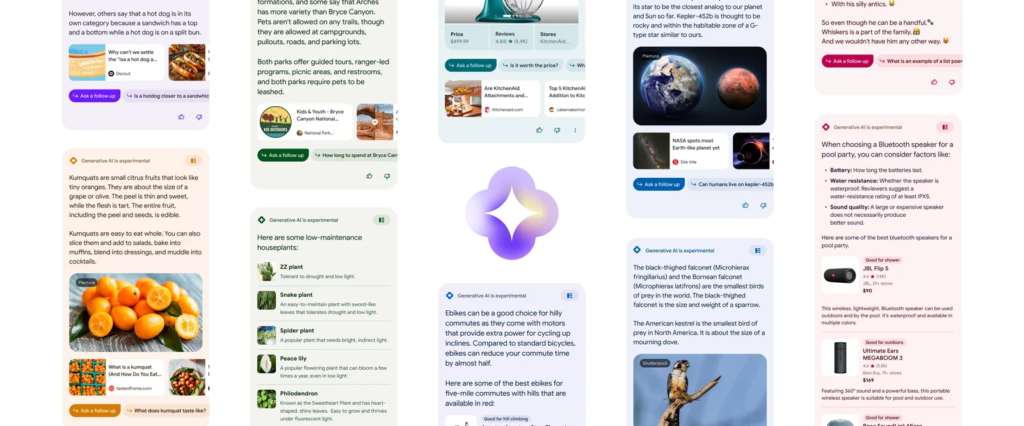
Google announced the launch of Search Labs, a program that provides early access to groundbreaking experiments. You’ll have the opportunity to explore innovative features such as SGE (Search Generative Experience), Code Tips, and Add to Sheets, initially available in the U.S. To participate in these experiments, simply tap the Labs icon in the latest version of the Google app (Android and iOS) or on Chrome desktop to sign up.
Once you’re granted access, get ready to experience the power of generative AI in Search. This game-changing feature takes the hassle out of searching by swiftly providing you with a deeper understanding of topics, uncovering fresh perspectives and insights, and simplifying your tasks. Instead of manually piecing together information through a series of queries, let Search handle the heavy lifting for you. Embrace this new era of efficient and intuitive searching with Google’s generative AI-powered Search experience.
Here are three ways you can make your next search simpler with new generative AI capabilities:
1. Easily get up to speed on a new or complicated topic
Perhaps you’re in the process of making a decision that involves weighing different options, such as “Learning ukulele vs guitar.” With the power of AI, Search can provide you with an instant snapshot that highlights the key factors to consider. Here’s another scenario: If you’re interested in starting your own business, simply search for “Benefits of incorporating your business before freelancing.” Search will swiftly provide you with a comprehensive overview, allowing you to quickly grasp the essentials. And if you’re eager to dive deeper, you’ll find a plethora of helpful articles just a click away. Let Google Search streamline your decision-making process and provide you with the insights you need at your fingertips.
2. Uncover quick tips for your specific questions
There are instances when you have a specific question in mind and crave a diverse range of content from the web. For example, if you stumble upon your beloved old sweater in the back of your closet and realize it needs some TLC, simply search for “How to get an old coffee stain out of a wool sweater?” Or, if you’re preparing for an upcoming international trip and need to ensure your passport is up to date, search for “How can I renew my passport quickly?” Google Search will swiftly provide you with valuable pointers, essential information, and a variety of options to help you take the next step. With the web at your fingertips, finding the answers and guidance you need has never been easier.
3. Discover a range of products and things to consider while shopping
If you’re on the hunt for removable wallpaper to give your rental a fresh look, a quick search for “Peel and stick wallpaper for kitchen” will provide you with valuable insights. Discover crucial factors such as the ease of removal and browse through a curated list of stylish options. With details on pricing, customer ratings, and convenient purchase links, you’ll have everything you need to make an informed decision.
Planning a pool party and in need of a Bluetooth speaker that can withstand the water-filled fun? Look no further than a search for “Bluetooth speaker for a pool party.” Google Search will present you with essential considerations for the pool environment, such as water resistance and battery life. Explore a wide range of options and find the perfect speaker to keep the party going. With just a few clicks, you’ll have all the information you need to make your selection.

This experiment marks the initial stage of integrating generative AI into Search, and we’re committed to ongoing updates and enhancements.
We’d love to help you harness the full potential of these new search features. Contact us to leverage generative AI in your search campaigns and enhance your customers’ search experiences.
(source: https://www.blog.google/products/search/search-generative-ai-tips/)